




Ford vehicles come equipped with HomeLink, an integrated system that lets you control compatible garage door openers directly from your vehicle.
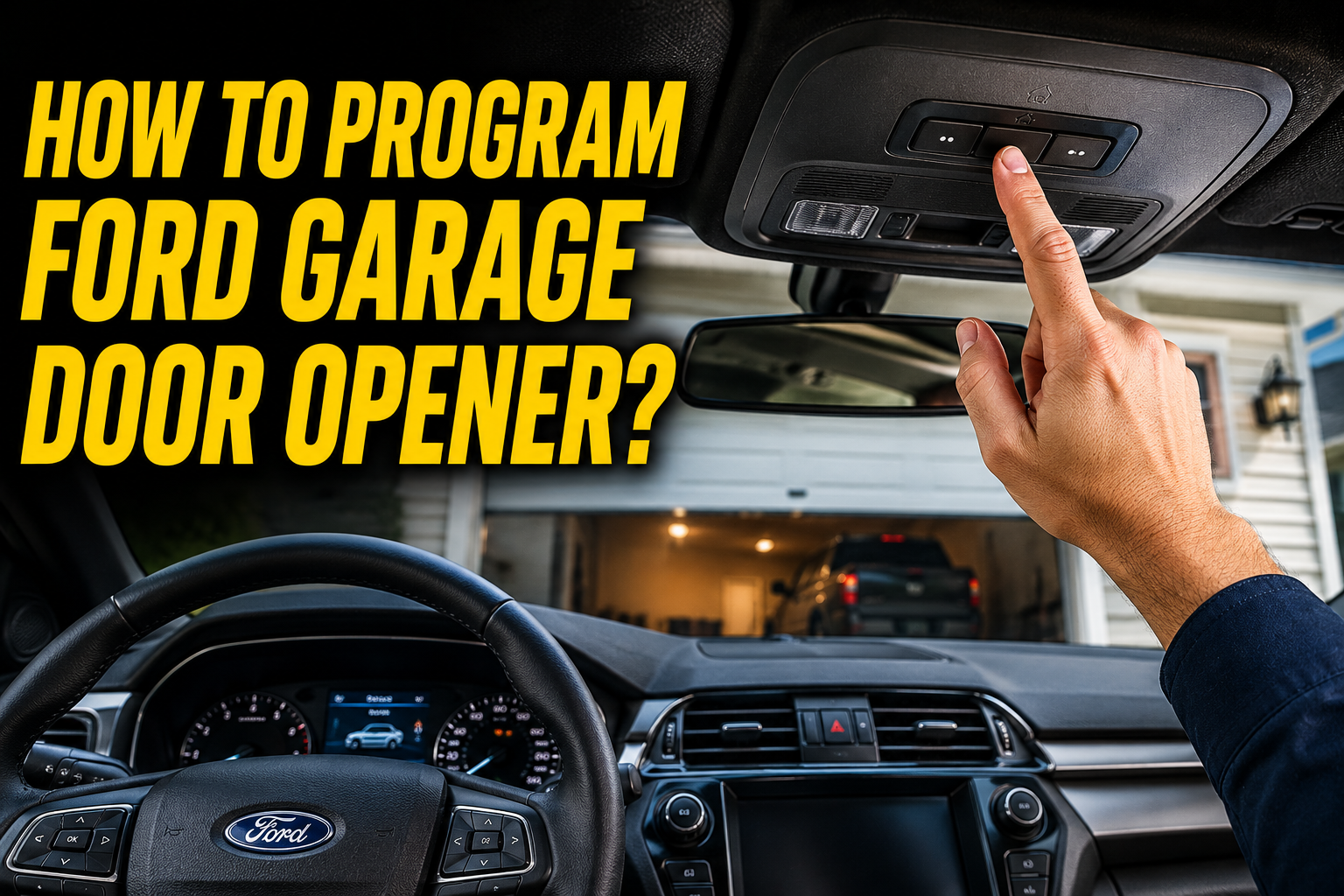
Instead of relying on a separate handheld remote, you can program the HomeLink buttons—typically located on the rearview mirror or overhead console—to operate your garage door with a single press.
Once set up, the system offers quick, secure, and convenient access every time you arrive home or leave your garage. The programming process is straightforward and only takes a few minutes with your existing garage door remote.
Understanding the HomeLink System in Ford Vehicles
HomeLink is a factory installed system found in most modern Ford vehicles that mimics the signal of your existing garage remote control. Understanding how this system works makes the programming process much easier to follow.
What HomeLink Actually Does
HomeLink learns the radio frequency signal from your original garage remote and stores it within the vehicle’s built-in buttons for future use. Once programmed, pressing the mirror button sends the same signal your garage opener already recognizes. This eliminates the need to carry a separate physical remote in the car.
Locating the HomeLink Buttons
The HomeLink buttons are typically found on the underside of the rearview mirror, usually appearing as a row of three small buttons. Some Ford models place these buttons on the sun visor instead, depending on the vehicle year and trim level. Identifying the correct button location is the first step before starting the programming process.
Tools Needed Before Programming
Having certain items ready before starting the programming process helps avoid interruptions partway through the setup. Preparation makes the entire process smoother and faster.
Your Original Garage Remote
You will need your existing garage door remote control on hand, since HomeLink needs to learn its signal directly during setup. Without this remote, the vehicle cannot capture the frequency needed to complete programming. Borrowing a remote temporarily from another household member can also work if needed.
Access to the Garage Motor Unit
In some cases, especially with rolling code systems, you may also need access to the motor unit’s Learn button inside the garage. This is typically required during the final step of the programming sequence for added security. Having a ladder ready in advance saves time if this step becomes necessary.
Step by Step Process to Program Ford Garage Door Opener
Programming HomeLink in a Ford vehicle follows a fairly consistent process across most models, with only minor variations by year. Following each step carefully ensures successful programming on the first attempt.
Positioning the Vehicle Correctly
Park the vehicle close to the garage door, ideally within a few feet, to ensure a strong signal connection during the programming process. This proximity helps both the remote and the vehicle communicate clearly without interference. Turning off the vehicle is often recommended before beginning the actual programming steps.
Entering HomeLink Training Mode
Press and hold the two outer HomeLink buttons simultaneously until the indicator light begins blinking rapidly, signaling that training mode has started. This step tells the system it is ready to learn a new remote signal. Release the buttons once the rapid blinking begins to avoid interrupting the process.
Programming with the Original Remote
While training mode is active, hold the original garage remote a few inches away from the HomeLink buttons and press both buttons at the same time. Continue holding until the indicator light changes from blinking to a solid light, confirming the signal has been learned. This step usually takes a few seconds to complete successfully.
Completing Rolling Code Programming
For garage doors using rolling code technology, an additional step is required after the initial signal is learned. Press and hold the correct HomeLink button while simultaneously pressing the Learn button on the garage motor unit until the door responds. This final step syncs the rolling code system with the vehicle’s stored signal.
Programming Steps by Ford Model Generation
While the general process remains similar, slight variations exist between older and newer Ford models due to updated HomeLink versions. The table below highlights general differences to be aware of.
| Ford Generation | HomeLink Location | Notes |
| Older Models | Overhead console or visor | May require simpler two-step programming |
| Newer Models | Rearview mirror buttons | Often includes rolling code compatibility |
Older Ford Models
Older Ford vehicles sometimes place HomeLink buttons on the overhead console rather than the mirror, though the programming logic remains largely the same. These models may have a simpler training process without rolling code requirements. Checking the owner’s manual for the specific vehicle year helps clarify exact steps.
Newer Ford Models
Newer Ford vehicles typically include updated HomeLink versions compatible with modern rolling code garage systems for improved security. These models often require the additional motor unit syncing step mentioned earlier. This added step, while slightly longer, provides better protection against signal duplication.
Troubleshooting Common HomeLink Programming Issues
Even when following the steps correctly, some drivers encounter minor issues during the programming process. Identifying the cause quickly helps resolve these problems without unnecessary frustration.
HomeLink Not Learning the Signal
If the indicator light does not turn solid after following the training steps, try moving the remote closer to the HomeLink buttons and repeating the process. Weak remote batteries can also prevent successful signal learning, so checking battery health beforehand is recommended. Restarting the entire process from the beginning often resolves this issue.
Garage Door Not Responding After Programming
If the garage door does not respond after programming appears successful, the rolling code syncing step may not have been completed properly. Repeating the final syncing step with the motor unit’s Learn button usually resolves this problem. Ensuring the vehicle remains close to the garage during this step also helps maintain a strong signal.
Clearing Old HomeLink Codes
If you need to reprogram HomeLink with a new remote, clearing the existing stored codes first prevents signal conflicts. This is usually done by holding all three HomeLink buttons together until the indicator light blinks rapidly, indicating memory has been cleared. Starting fresh afterward ensures a clean and accurate programming process.
Benefits of Using HomeLink Over a Separate Remote
Beyond convenience, HomeLink offers several practical advantages that make it a popular feature among Ford owners. These benefits go beyond simply saving space in the car.
Reduced Clutter Inside the Vehicle
Since HomeLink eliminates the need for a separate visor clipped remote, the interior of the vehicle stays cleaner and less cluttered. This is especially useful for drivers who dislike loose accessories on their sun visor or dashboard. Fewer items also mean less chance of misplacing a remote control.
Improved Security Features
Modern HomeLink systems support rolling code technology, which changes the signal code each time it is used to prevent unauthorized duplication. This offers a security advantage over some basic universal remotes that may use static codes. Newer Ford models benefit significantly from this added layer of protection.
Competitor Content Analysis
Many existing guides mention HomeLink briefly but fail to explain the rolling code syncing step in detail or address differences between older and newer Ford models. Few articles include troubleshooting steps for common signal learning failures or explain the security benefits clearly. This guide fills those gaps by combining a full step by step process, model comparisons, and troubleshooting guidance together.
Conclusion
Programming a Ford garage door opener through HomeLink is a simple process once you understand the button locations, training steps, and rolling code requirements for your specific model. By following the correct sequence and troubleshooting common issues when they arise, you can enjoy convenient, remote-free garage access directly from your vehicle.
Frequently Asked Questions
How do you program HomeLink on a Ford without the original remote?
HomeLink requires the original remote’s signal to learn from, so a compatible remote must be available during setup, even if borrowed temporarily.
Why is my Ford HomeLink not opening the garage door?
This is often caused by an incomplete rolling code syncing step or weak battery signal from the original remote during programming.
Can I program multiple garage doors on one Ford HomeLink system?
Yes, HomeLink typically supports programming up to three different devices using its three available buttons.
How do I reset HomeLink before reprogramming?
Holding all three HomeLink buttons together until the light blinks rapidly clears existing codes and prepares the system for new programming.
Does every Ford model come with HomeLink built in?
Most modern Ford vehicles include HomeLink, though availability may vary by trim level and model year, so checking the owner’s manual is recommended.
Related Articles
How to Change Ford Door Code Without Original Code: A Complete Step-by-Step Guide
What Does XLT Stand For on a Ford? Complete Trim Level Guide
Is 1000A Amp Jumper Good For A 2007 Ford Escape?
Is Ford American Made? The Complete Truth About Ford’s Manufacturing
How to Connect Phone to Ford SYNC to Play Music? Complete 2026 Guide